Tools
Tools in Educait help teachers develop a well-rounded learning experience for the students with quizzes, assessments, learning matrices and much more. Students can interact and enhance learning with interractions and their progress can be gauged by having them partake in various tasks as part of a course. These help in solving regular problems which otherwise need time.
Tools available in Educait are categorized on the following criteria.
Starred: These are frequently used tools that have been saved by the user.
Content: These are tools to enhance content delivery to the students.
Questions: These are tools that are meant for assessment and tests.
Planning: These tools help gauge and enhance planning and problem-solving abilities of the students.
Communication: These tools help gauge and enhance communication skills of the students.

Tools in Educait
Note: To include an individual tool under Starred, click on the star icon on the right side of the tool. Similarly, click on any of the tool to generate. For example, select Text Analysis Assignment.
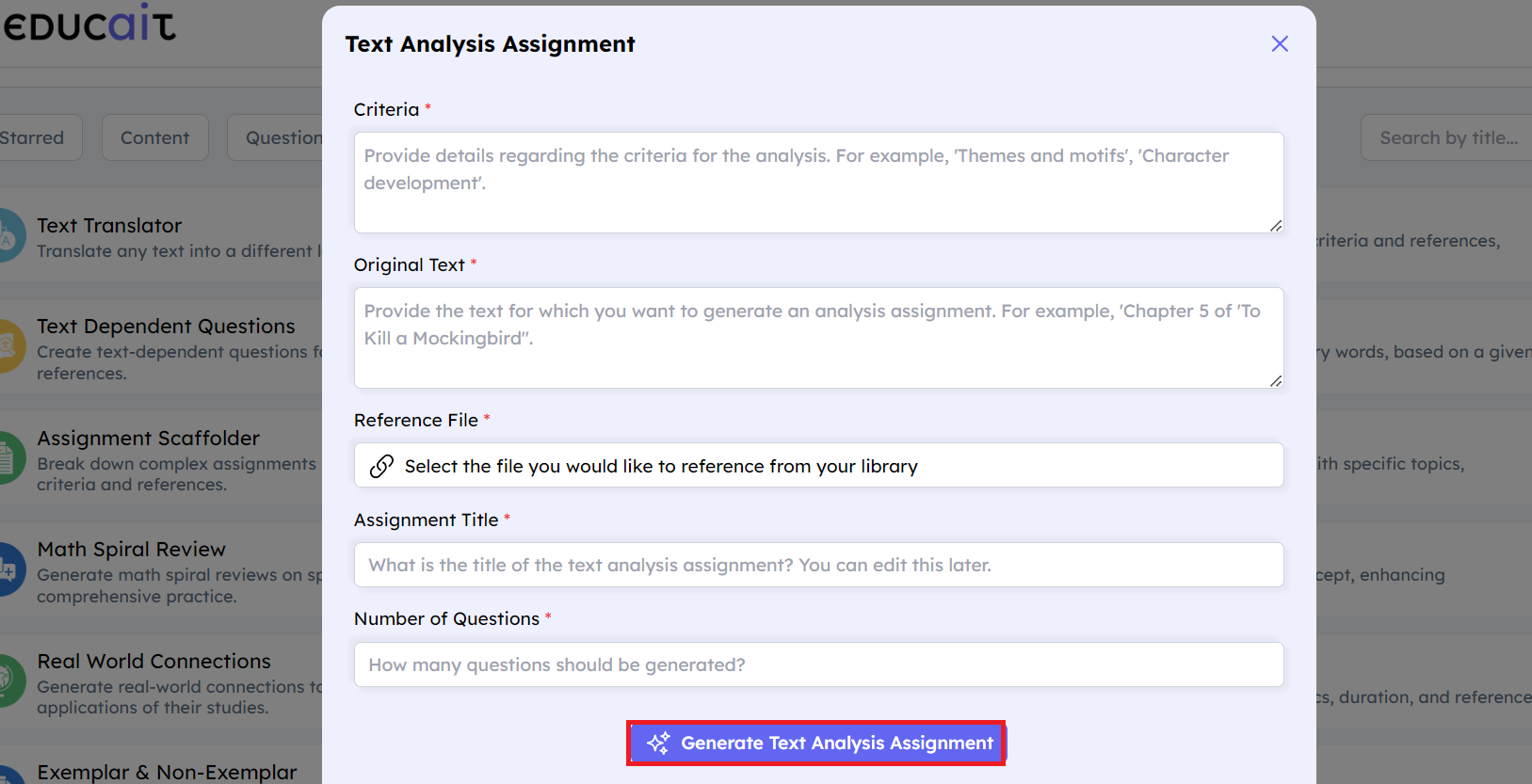
Select any of the tools to generate text
Fill in the mandatory details and click Generate Text Analysis Assignment.
For Student
Students can view the tools available to them from the Tools section. They can only see the tools that are available to them as part of the course.
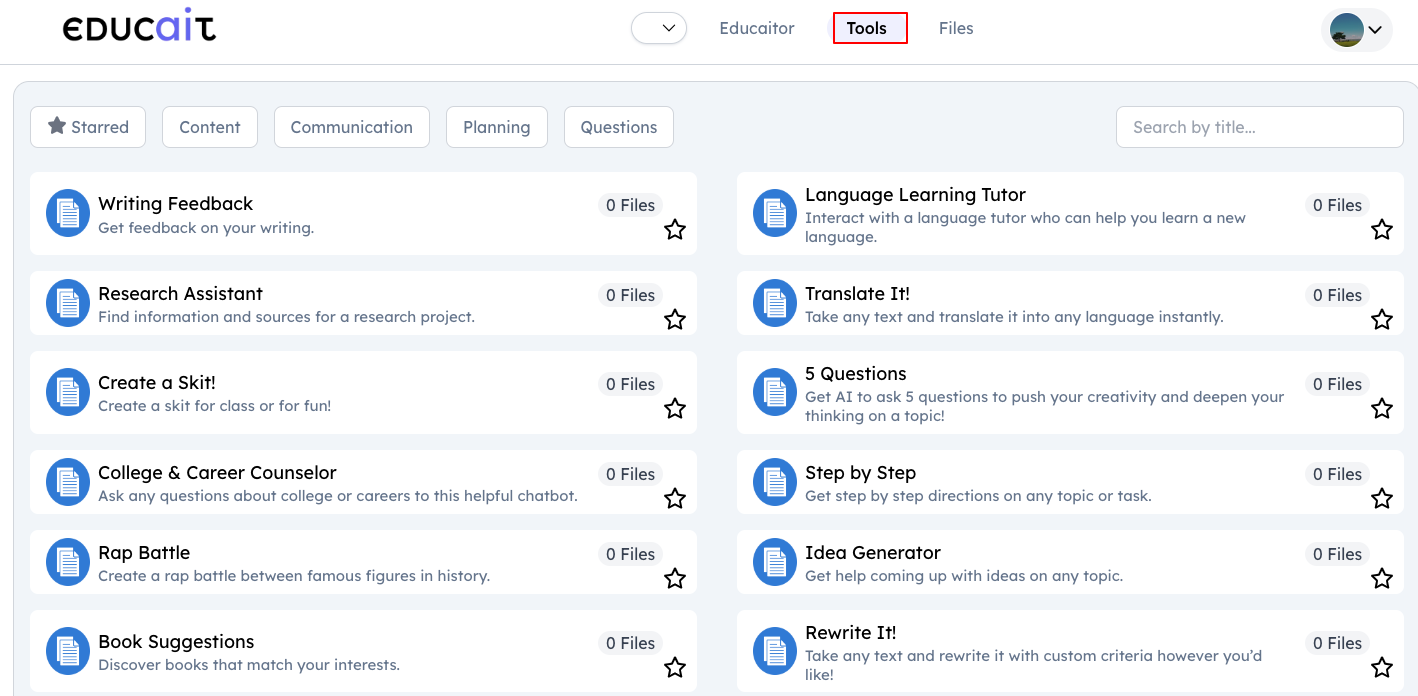
Tools available to students
Fields
Description
Writing Feedback -
Get feedback on your writing.
Language Learning Tutor - Interact with a language tutor who can help you learn a new language.
Research Assistant - Find information and sources for a research project.
Translate It!
Take any text and translate it into any language instantly.
Create a Skit!
Create a skit for class or for fun!
5 Questions
Get AI to ask 5 questions to push your creativity and deepen your thinking on a topic!
College and Career Counselor
Ask any questions about college or careers to this helpful chatbot.
Step by Step
Get step by step directions on any topic or task.
Rap Battle
Create a rap battle between famous figures in history.
Idea Generator
Get help coming up with ideas on any topic.
Book Suggestions
Discover books that match your interests.
Rewrite It!
Take any text and rewrite it with custom criteria however you’d like!
Summarize It!
Take any text and summarize it in whatever length you choose.
Expand My Idea
Use AI to expand on your ideas to help you be creative!
Coding Assistant
An assistant to help you with coding languages in computer science.
Literary Devices
Get examples of literary devices based on any topic to enhance writing.
Math Review
Generate review questions to improve your math skills and understanding.
Study Bot
Use AI as a study partner for any exam or topic with this chatbot.
Informational Texts
Generate original informational texts customized to a topic of your choice.
Sentence Starters
Get ideas for how to start writing on any topic.
Email Writer
Generate a professional email to teachers, peers, or others.
Conceptual Understanding
Generate ideas about how to grow conceptual understanding of concepts.
Thank You Note
Create a personal thank you note to show your appreciation!
Study Habits
Get tips on studying for big tests coming up.
Exemplar and Non-Exemplar
Have AI write exemplar & non-exemplar responses to specific assignments to help ‘see’ what is expected.
Email Responder
Create a high-quality email response to an email that you received.
Text Proofreader
Take any text and have it proofread, correcting grammar, spelling, punctuation and adding clarity.
Notes Generator
Generate notes on any topic to help you study and understand better.
Segregate and select the Tools based on following mentioned criteria:
Starred
Content
Questions
Planning
Communication

Select any of the tools to generate text
Note: To include an individual tool under Starred, click on the star icon on the right side of the tool. Similarly, click on any of the tool to generate. For example, select Writing Feedback.
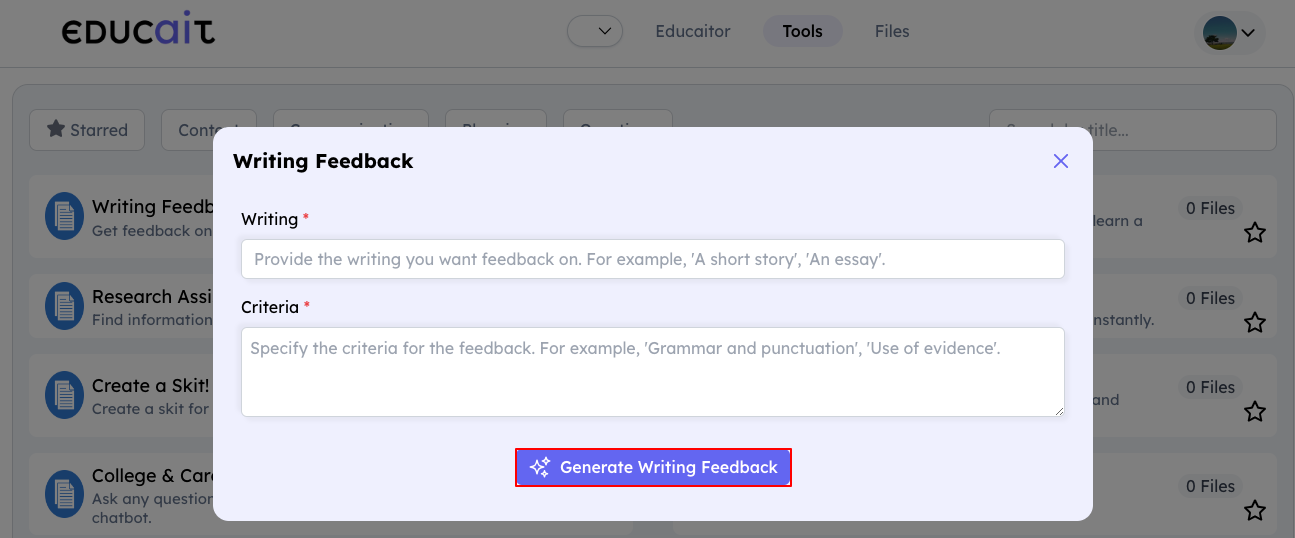
Select any of the tools to generate text accordingly
Fill in the mandatory details and click Generate Writing Feedback.
For Teacher
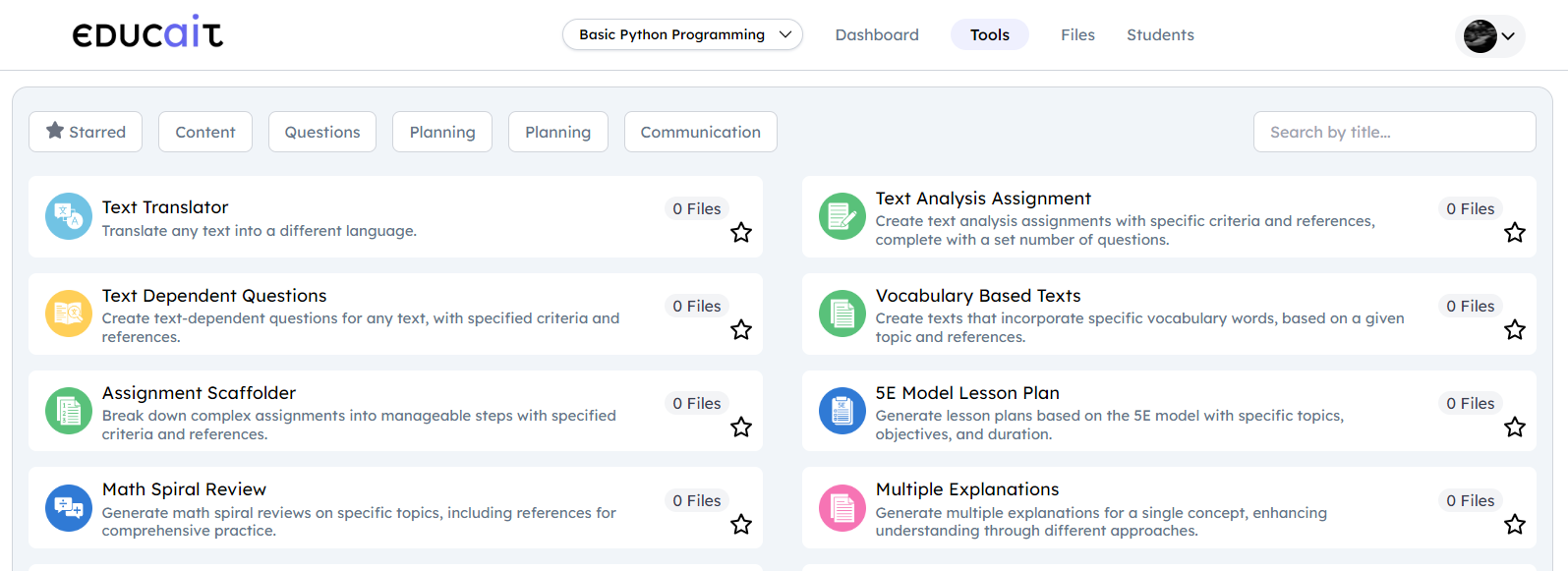
Tools for teacher
Fields
Description
Text Translator
Translate any text into a different language.
Text Analysis Assignment
Create text analysis assignments with specific criteria and references, complete with a set number of questions.
Text Dependent Questions
Create text-dependent questions for any text, with specified criteria and references.
Vocabulary Based Texts
Create texts that incorporate specific vocabulary words, based on a given topic and references.
Assignment Scaffolder
Break down complex assignments into manageable steps with specified criteria and references.
5E model Lesson Plan
Generate lesson plans based on the 5E model with specific topics, objectives, and duration.
Math Spiral Review
Generate math spiral reviews on specific topics, including references for comprehensive practice.
Multiple Explanations
Generate multiple explanations for a single concept, enhancing understanding through different approaches.
Real World Connections
Generate real-world connections to help students see the practical applications of their studies.
Science Labs
Create science lab activities with specified topics, duration, and references.
Exemplar & Non-Exemplar
Create exemplar and non-exemplar responses for assignments based on specific criteria.
Text Proofreader
Proofread any text to correct grammar, spelling, and punctuation.
Informational Texts
Generate informational texts on any topic, specifying length and references.
Social Stories
Create social stories to help students understand and navigate specific events or situations.
Academic Content
Generate detailed academic content on specific topics, complete with references.
DOK Questions
Generate Depth of Knowledge (DOK) questions for any topic, complete with references.
Group Work Generator
Create group work activities with specified topics and objectives, including references.
Math Story Word Problems
Create engaging math story word problems based on specified concepts and topics.
Text Summarizer
Summarize any text to a specified length.
Vocabulary List Generator
Generate vocabulary lists for specific subjects, topics, or texts with a set number of words.
Study Guide
Generate a study guide based on a topic or text
Professional Email
Draft professional emails with specific messages and references.
Question Suggestions
Generate questions based on a topic or text.
Text Rewriter
Rewrite any text with specified criteria, such as simplifying or translating.
Lesson Plan
Generate comprehensive lesson plans with references and specified duration.
Multiple Choice Assessments
Generate multiple-choice assessments with a specific number of questions and detailed topics.
Rubric Generator
Create detailed rubrics for any assignment with clear criteria.
Use Tools in Educait
Go through this step by step tutorial to understand how to use tools